Audit
In the Audit menu, you inspect all events performed by the users of your workspace, following the actions of each one and understanding the usage flow of the platform.
Availability
The Audit feature is not available in the community version.
View
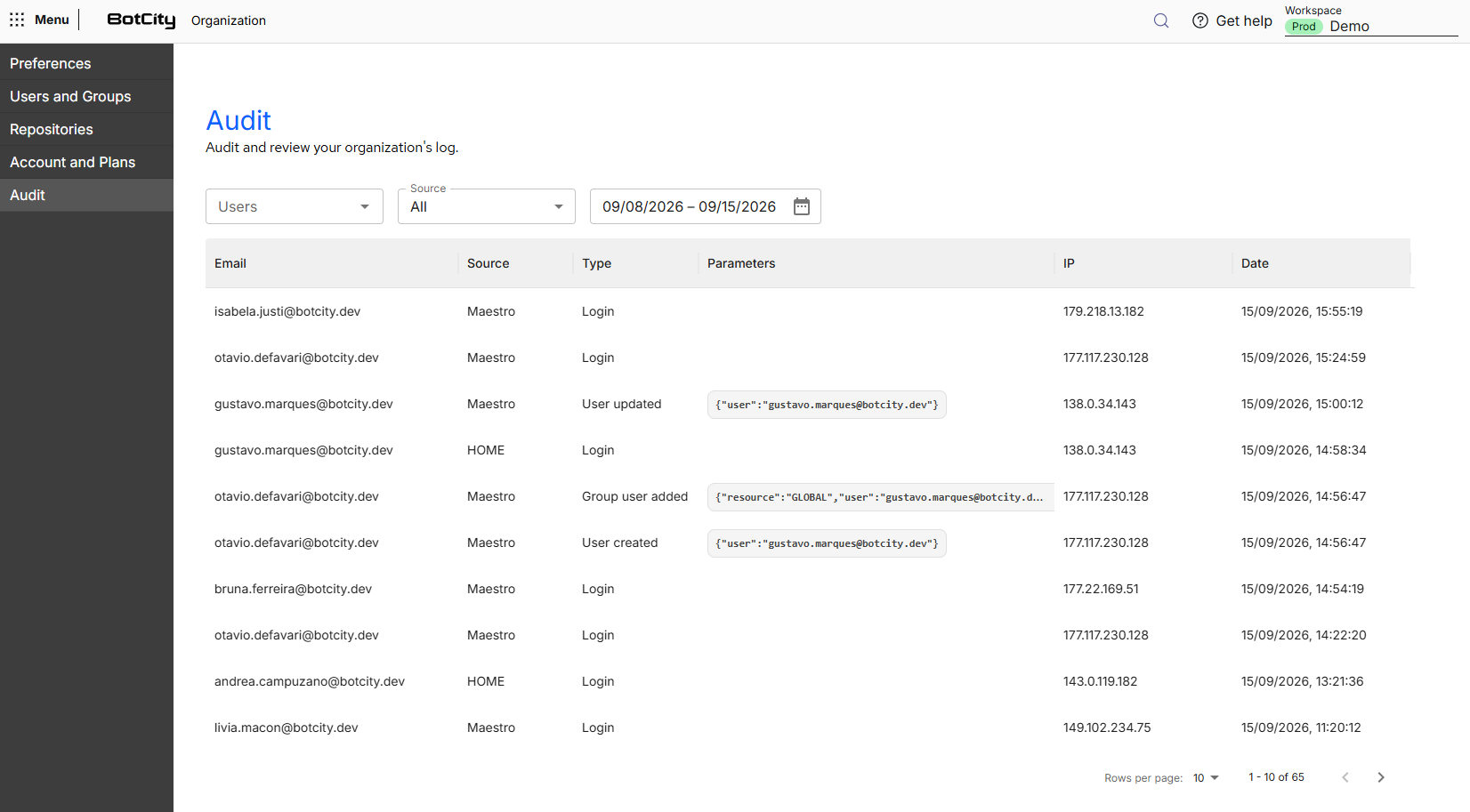
The audit table presents the events recorded in the workspace with the following information in columns:
- E-mail: user who performed the action.
- Source: product or application where the event was recorded.
- Type: action performed, such as the login of a user, the creation or the update of a user and the addition of a user to a group.
- Parameters: complementary data of the event, displayed in JSON format, such as the user or the resource affected by the action. It stays empty for events that do not have a specific target.
- IP: IP address the action came from.
- Date: date and time when the event was recorded.
Filter events
Above the table, three filters help you find the events of interest:
- Users: displays only the events of the selected users.
- Source: displays only the events recorded in a specific product or application.
- Period: displays only the events that occurred in the selected date range.
Restricted access
Only users with the Administrator or Manager roles have access to this area.
See more at: