Datapool
Go to DatapoolThe Datapool is a module of the BotCity Orchestrator that allows for efficient management of batch item processing.
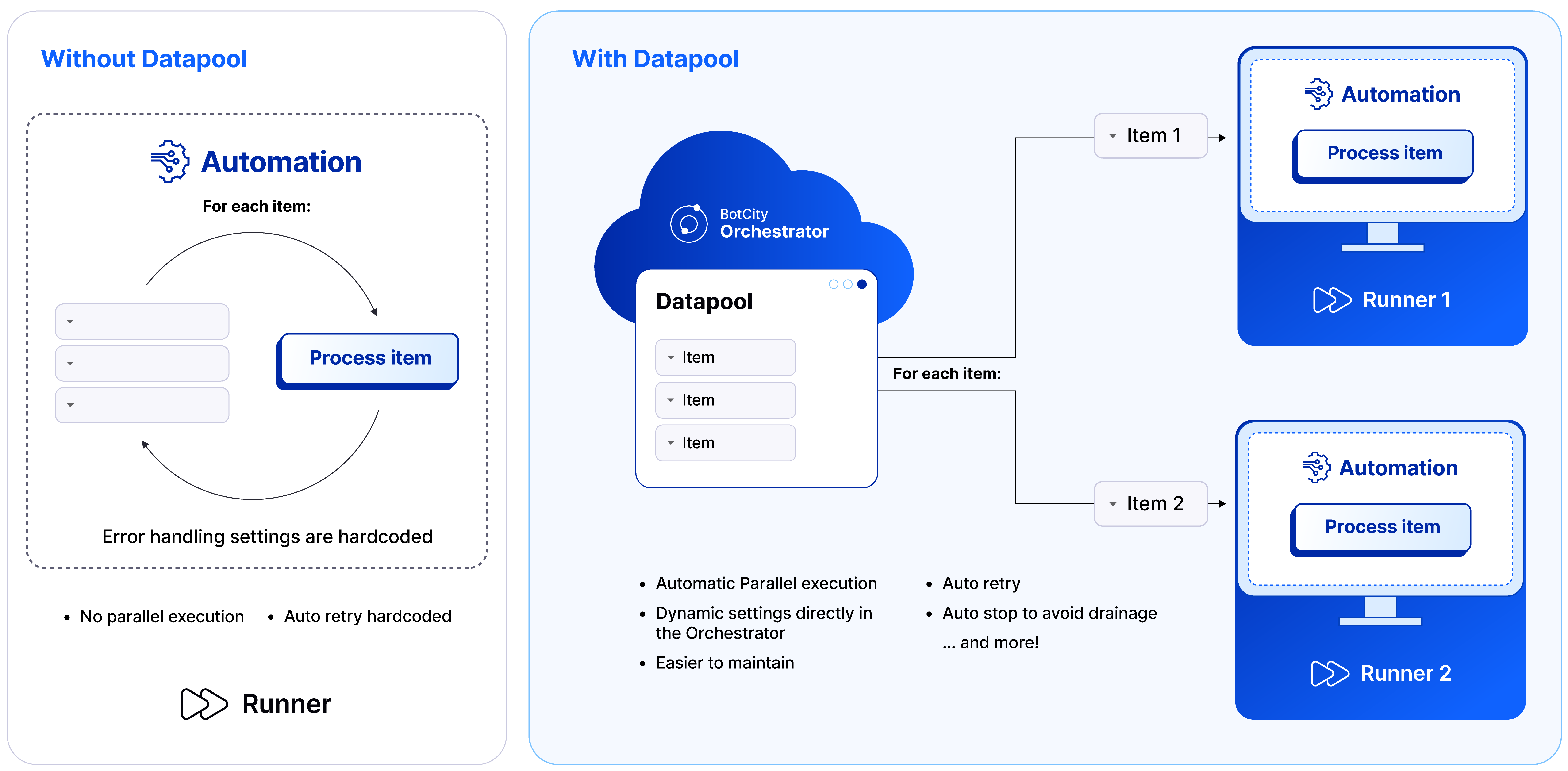
Through the Datapool, you can have control and granularity over the queue of items that need to be processed, making it an essential resource for automations that process a large volume of data.
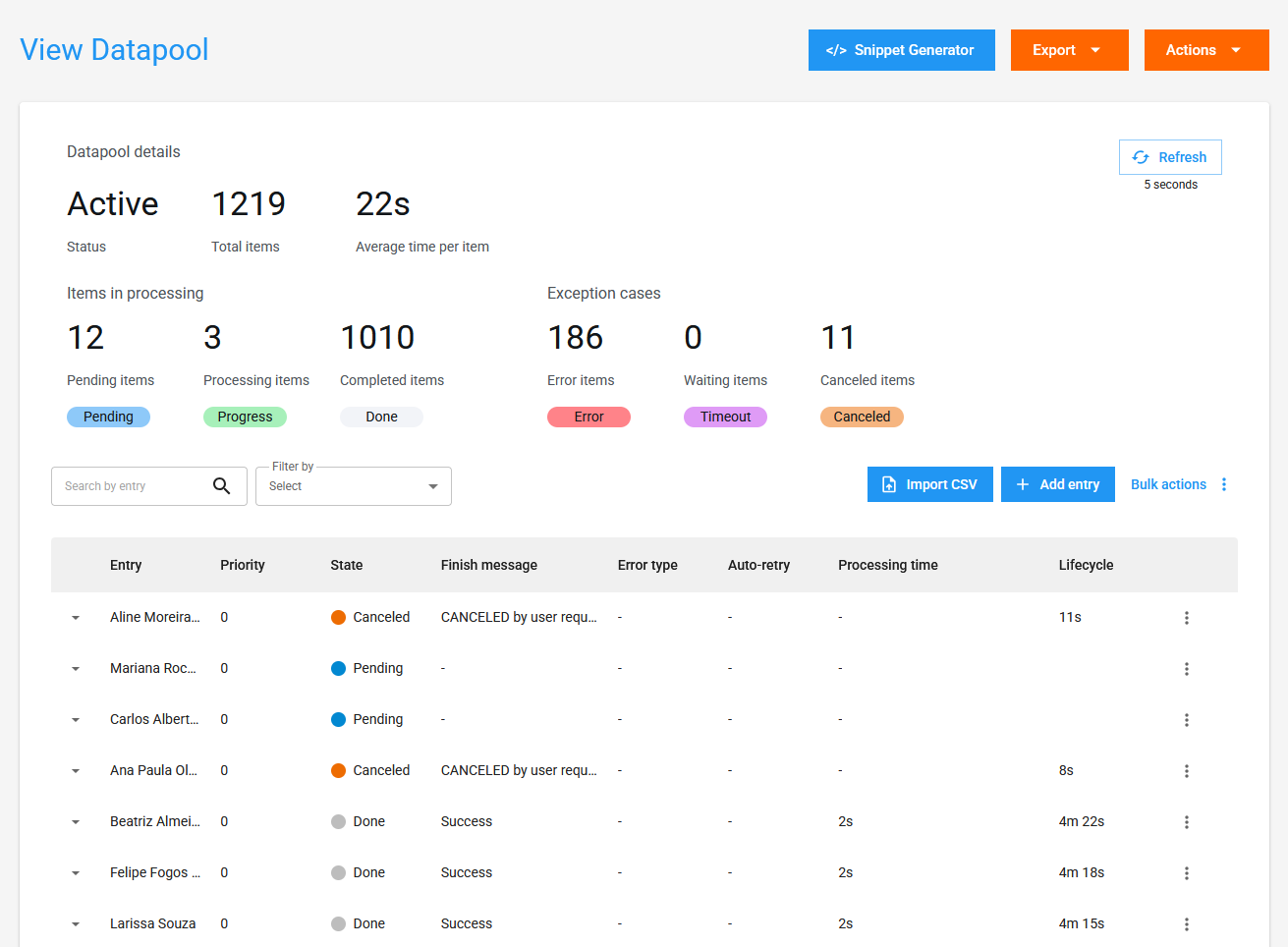
Overview
Key Features
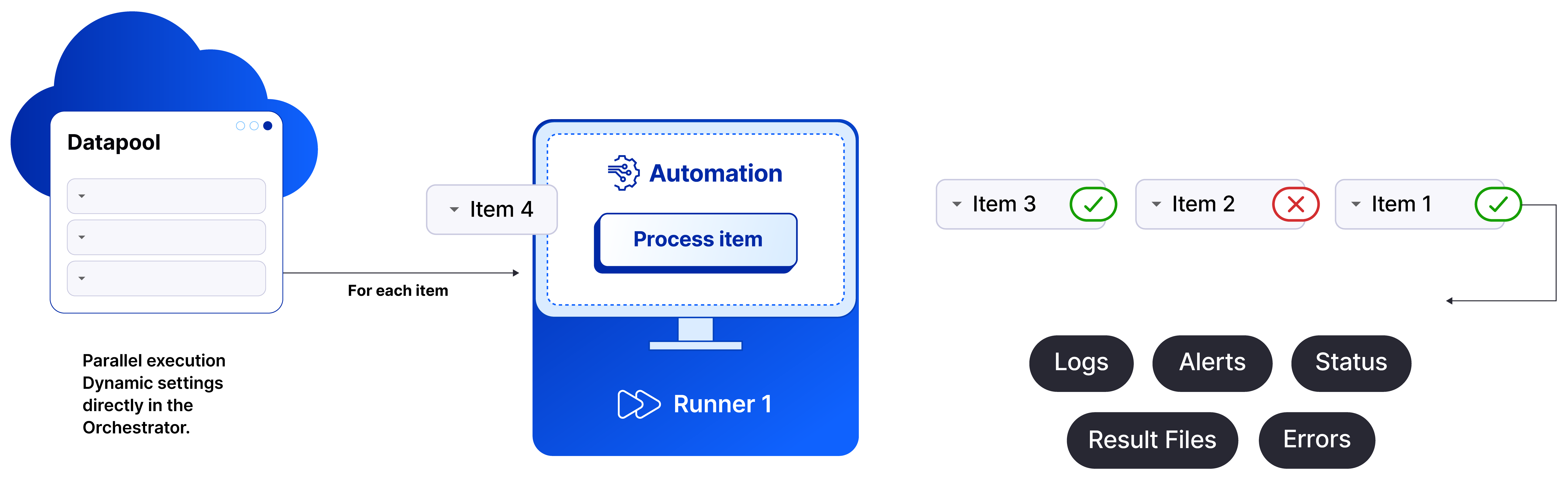
- Parallel Item Processing: Allows multiple tasks to concurrently consume items from a single queue.
- Automatic Reprocessing: Automatically re-queues items processed with errors for reprocessing.
- Data Standardization:
SchemaPossibility of creating a pre-defined structure for items, defining the expected fields for each item added. - Task Triggering: Automatic task triggering for execution, based on the creation of new items in the queue.
Key Benefits
- Complexity Abstraction: Eliminates the need to implement complex logic in the code, as it has native handling for concurrent consumption and reprocessing scenarios.
- Centralized Management: Offers centralized management directly in the BotCity Orchestrator, facilitating control and monitoring, and is already integrated with other platform resources. Eliminates the need to depend on external databases and auxiliary tools.
- Simplified Integrations: You can read from any database and transform the data into items in the Datapool, adding them to the processing queue through APIs, SDKs, and
.csvfiles. Easily extract processing data and integrate with your data visualization platforms.
Use Cases
- Batch Item Processing: Ideal for automations that need to process a large volume of data or batches of items, such as registrations, updates, and queries.
- Producer/Consumer Scenarios: An excellent alternative for scenarios where one automation generates demand by creating new items in the Datapool, and another automation consumes the queue and performs the processing flow of these items.