Notifications
In the Notifications menu you define which BotCity Orchestrator events generate a notice for you. Each event has its own selector, and the Orchestrator sends a notification for each enabled event.
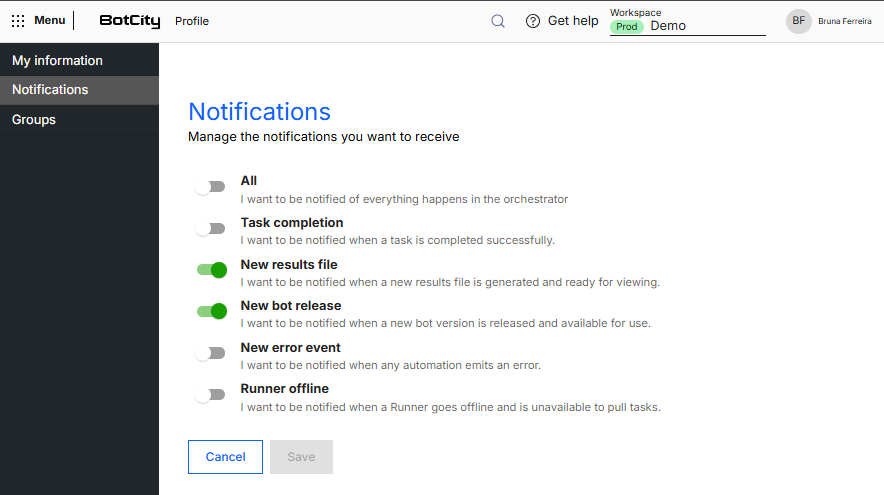
Available events
- All: selects all events that happen in the Orchestrator.
- Task completion: triggered when a task is completed successfully.
- New results file: triggered when a new results file is generated and is available for viewing.
- New bot release: triggered when a new version of a bot is released and is available for use.
- New error event: triggered when an automation reports an error.
- Runner offline: triggered when a Runner goes offline and can no longer pull tasks.
Receive notifications on Slack and Microsoft Teams
Notifications for the enabled events are sent to your e-mail. When the integration tokens are configured in the workspace, they are also sent to Slack and Microsoft Teams.
See more at:
Configure other events with webhooks
To receive notifications for other Orchestrator events, such as task, Runner, alert, and Datapool events, or to send them to other tools, configure a webhook in the Integration Hub.
See more at:
Save changes
After enabling or disabling the desired events, click Save to confirm. To discard the changes, click Cancel.